Autopilot · coding agent · v2.2.0
Autopilot: a coding agent you can point at any model.
A terminal coding agent harness and SDK, formerly kimiflare, that runs on your own provider key: OpenRouter, Anthropic, OpenAI, Gemini, DeepSeek and 20 more, or a local model through Ollama or LM Studio. Open source under MIT.
npm i -g autopilot-aibrew install sinameraji/tap/autopilotnpx autopilot-aiWorks with your key for
 OpenRouter
 Anthropic
 OpenAI
 Google Gemini
 Vertex AI
 Amazon Bedrock
 Azure OpenAI
 DeepSeek
 Moonshot (Kimi)
 Z.ai (GLM)
 xAI
xAI Mistral
 MiniMax
 Groq
Groq Cerebras
 Together AI
 Fireworks AI
 DeepInfra
 Vercel AI Gateway
 Cloudflare Workers AI
 Ollama
 LM Studio
- and more, plus any OpenAI-compatible endpoint
What Autopilot is
Autopilot is a coding agent for your terminal: an open-source coding harness that gives the model of your choice tools, permissions, context and an interface. You describe a task, it reads your repository, plans, edits files and runs commands, asking for approval in the way you choose. It was previously published as kimiflare and has been installed over 40,000 times from npm under that name.
It runs on your own key with the provider you choose. On first run you pick a provider, connect it once (the key is checked before it's saved) and pick a model. That's the whole setup. Nothing is proxied or marked up, and while another provider is active, nothing is sent to OpenRouter.
Providers
| Providers | |
|---|---|
| Recommended | OpenRouter: 400+ models with one key, billed cost per turn, subagents |
| Model makers | Anthropic, OpenAI, Google Gemini, xAI, Mistral, DeepSeek, Moonshot (Kimi), Z.ai (GLM), MiniMax |
| Clouds | Google Vertex AI, Amazon Bedrock, Azure OpenAI, Cloudflare Workers AI |
| Fast and open-model hosts | Groq, Cerebras, Together AI, Fireworks AI, DeepInfra |
| Gateways | Vercel AI Gateway, Requesty, or any OpenAI-compatible endpoint (LiteLLM, vLLM, a company gateway) |
| Local | Ollama and LM Studio, with installed models discovered automatically |
Each provider has its own model picker, pricing and error messages, and memory embeddings follow the active provider. The full list on GitHub has every provider's key variable and notes.
Features
- Your provider, your key. Switch with
/providerat any time, orautopilot auth <id>from the shell. - Cost you can see. On OpenRouter the status bar shows what each turn was actually billed; on other providers it shows an estimate from published prices.
/costtotals it by session, day, month and all time. - Plan, edit and auto modes. Plan mode allows read-only tools only. Edit mode, the default, asks before each mutating action. Auto mode approves everything for tasks you trust.
- Subagents in sandboxes. For larger tasks on OpenRouter, Autopilot sends independent research to read-only subagents, each in its own Hotcell sandbox. They see your current working tree, but files like
.envare never copied in, and your real API key never enters the sandbox. - Reliable tool calling. On OpenRouter, requests only go to upstream providers that support every parameter Autopilot sends, and each session pins to one provider so prompt caching keeps working. Anthropic gets a native Messages adapter with extended thinking and prompt caching.
- Precise edits. One edit call can make several replacements in a file, applied together or not at all, and attached images are downscaled before they're sent.
- Learns how it performs for you. Turn on session traces and Autopilot records each session on your machine: model calls with tokens, cost and latency, tool calls, permission decisions, and outcome signals such as whether tests passed afterwards, your
/goodand/badratings, and whether you had to correct it.autopilot evalruns it on a set of your own tasks and compares two setups, such as two models, with a significance test. Nothing is uploaded. - Hooks and audit. Claude Code-compatible hooks for session start and end, prompts, permission requests, and before and after each tool call (including failures), a Claude Code-style transcript, and OpenTelemetry events with token usage and cost. A failing hook is reported instead of silently skipped, and policy hooks can fail closed. Security tools such as Agent Beacon can record every session.
- LSP and MCP. Language-server intelligence (definitions, references, diagnostics) and Model Context Protocol servers for extra tools.
- Local memory. SQLite and embeddings on your machine, so the agent can recall facts and preferences across sessions.
- Unattended runs on a server.
autopilot serveruns detached tasks with runtime, token, cost and action budgets, and resumes them from checkpoints after a restart. It emails you when a run finishes, fails or needs input, and you can decide a paused run by replying to the email. A run whose turn outgrows the model's context pauses for a decision instead of failing. There's a concurrency limit, a kill switch, a systemd unit and a Linux server guide. - Headless SDK and RPC. Embed Autopilot in your own app with
createAgentSession, or drive it over JSONL from any language. - Works on macOS, Linux and Windows, with an OS-aware shell (bash, PowerShell or cmd.exe). Needs Node.js 20 or later.
Get started
Install it, run autopilot in a repository, and choose a provider. OpenRouter is the recommended default: sign in through the browser and a key is created for you. To use a local model, pick Ollama or LM Studio; to choose a provider from the shell:
autopilot auth anthropic            # save a key and make Anthropic active
AUTOPILOT_PROVIDER=ollama autopilot # one run on your local Ollama models
For scripts and CI, one-shot mode streams an answer to stdout: autopilot -p "summarize PLAN.md". If the provider's key is in the environment, the setup screen never appears.
How Autopilot compares
Autopilot sits between minimal harnesses and full platforms: a terminal agent with cost tracking, sandboxed subagents and a wide choice of providers, without a vendor cloud. For detailed comparisons, see Autopilot vs Claude Code, Codex, OpenCode, Cursor and Pi and coding agent open-source options compared.
FAQs
Is Autopilot free?
Yes. Autopilot is open source under the MIT licence. You pay your model provider directly for what you use, with no markup, or nothing at all with a local model or OpenRouter's free models.
Which models and providers does Autopilot support?
25+ providers with your own key, including OpenRouter (the default, with 400+ models), Anthropic, OpenAI, Google Gemini, Vertex AI, Amazon Bedrock, Azure OpenAI, DeepSeek, Moonshot (Kimi), Z.ai (GLM), xAI, Mistral, Groq, Cerebras, Together AI, Fireworks AI, DeepInfra, Vercel AI Gateway and Cloudflare Workers AI. Local models run through Ollama or LM Studio, and any OpenAI-compatible endpoint works too. Each provider gets its own model picker.
Can I use Autopilot with a local model?
Yes. Choose Ollama or LM Studio as the provider; Autopilot discovers the models you have installed, and no API key is needed. For llama.cpp, vLLM or another server, use the custom provider with KIMIFLARE_BASE_URL set to its /v1 URL. Pick a model that handles tool calls well.
How do I switch providers?
The first run asks which provider to use. After that, /provider switches inside a session, autopilot auth <id> saves a key and makes that provider active, and AUTOPILOT_PROVIDER=<id> picks one for a single run. Everything follows the active provider, including memory embeddings, pricing and the model list.
Do all features work on every provider?
Most do. Three are OpenRouter-only for now: the billed cost of each turn (other providers show estimates from published prices), Hotcell subagents, and the Jev completion checks.
Does Autopilot run commands in a sandbox?
Its subagents do, on OpenRouter: each runs read-only in its own Hotcell sandbox, with a short-lived token instead of your API key. The main agent runs on your machine and, in its default edit mode, asks before every mutating command. Plan mode allows read-only tools only. To sandbox the main agent too, run Autopilot inside a Hotcell sandbox.
Where are my API keys stored?
In your environment if you set the provider's variable, such as OPENROUTER_API_KEY or ANTHROPIC_API_KEY; Autopilot uses those without saving them. Otherwise keys are saved per provider in ~/.config/kimiflare/config.json, created with owner-only permissions.
What was kimiflare?
Autopilot's former name. The npm package was renamed to autopilot-ai. Settings, sessions, memory and cost history carry over, and KIMIFLARE_* environment variables still work.
Can Autopilot run unattended on a server?
Yes. autopilot serve runs long tasks as detached runs with runtime, token, cost and tool budgets, resuming from checkpoints after a restart. It can email you when a run finishes, fails or needs input, and you can answer a needs-input email by replying, with no public endpoint. A concurrency limit and a kill switch keep a server in check, and a guide covers systemd, SSH access and encrypted backups on a Linux host.
Can I see how well Autopilot works on my own code?
Yes. With KIMIFLARE_TRACE=1, or trace.enabled in the config, each session writes a local trace of model calls, tool calls, cost, latency and outcomes: whether tests, lint, typecheck and builds passed, your /good and /bad ratings, and whether your next message corrected the agent. autopilot eval runs Autopilot on a set of tasks from your own repo and compares two configurations, so you can check whether a cheaper model is good enough for your work. Traces never leave your machine, likely secrets are redacted before writing, and old traces are pruned after 90 days.
Can I audit what Autopilot does?
Yes. Its hooks use Claude Code's events, field names and tool names, and a hook blocks a tool call by exiting with code 2 or returning a deny decision, so Claude Code hook scripts and audit tools work with little or no change. It also fires PostToolUseFailure and PermissionRequest, writes a Claude Code-style transcript, and shows you when a hook fails; a policy hook can be set to fail closed. Agent Beacon records Autopilot sessions today through its Claude Code mode. With an OpenTelemetry endpoint set, Autopilot also exports token usage and cost per request, never prompt or tool content.
Can I use Autopilot from my own application?
Yes. The headless SDK (import { createAgentSession } from "autopilot-ai/sdk") streams typed events and supports prompt, steer, follow-up, pause and resume, plus a custom permission handler. For non-Node apps there is a JSONL-over-stdio RPC mode.
Related reading
-

What Is an AI Coding Harness? Definition, Parts and an Example
An AI coding harness is the program around a language model that gives it tools, permissions, context and an interface. Here are its parts, and how Autopilot implements each one.
-
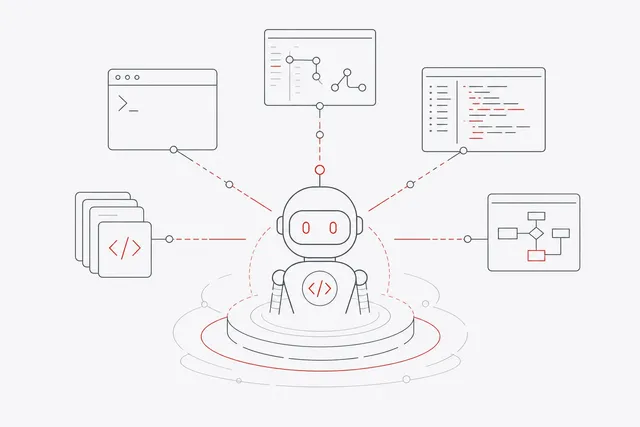
Coding Agent Open Source Options Compared for 2026
OpenCode, OpenHands, Aider, Cline, Goose, Codex CLI, Pi and Autopilot compared on interface, autonomy, sandboxing and model choice.
-
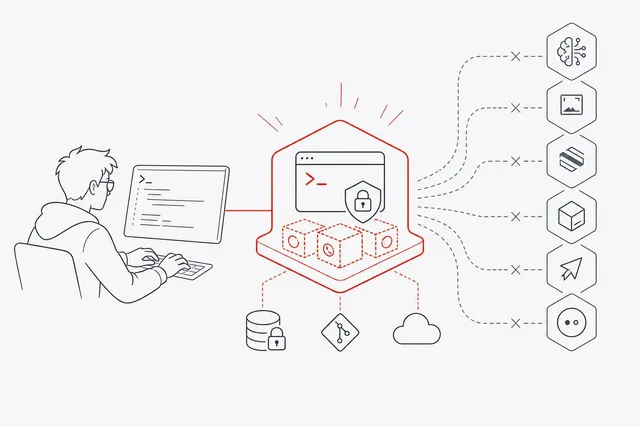
Autopilot vs Claude Code, Codex, OpenCode, Cursor and Pi
How Autopilot compares with Claude Code, Codex, OpenCode, Cursor and Pi on model choice, cost visibility, sandboxing and self-hosting.